Growth benchmark
Grades your growth metrics against companies like yours and writes a report with three fixes, ranked by impact.
- Free
- No login
- Read-only, stores nothing
- B2B SaaS and consumer apps
Connect your AI assistant
https://benchmark.scilla.studio/mcp Run this in your terminal, then start Claude Code and say "Benchmark my product".
claude mcp add --scope user --transport http scilla-benchmark https://benchmark.scilla.studio/mcp Run this in your terminal, then start Codex and say "Benchmark my product".
codex mcp add scilla-benchmark --url https://benchmark.scilla.studio/mcp In claude.ai or the Claude desktop app:
- Open Customize, then Connectors.
- Click +, choose Add custom connector, and paste https://benchmark.scilla.studio/mcp.
- Click Add. You can leave the advanced settings empty.
- Start a new chat and say "Benchmark my product".
The free plan allows one custom connector.
In ChatGPT:
- Open Settings, then Apps & Connectors, then Advanced settings, and turn on Developer mode.
- Back in Apps & Connectors, click Create. Name it Growth benchmark, paste https://benchmark.scilla.studio/mcp, and choose No authentication.
- Start a new chat, add the connector from the + menu, and say "Benchmark my product".
Developer mode needs a paid ChatGPT plan.
Paste this into any coding agent. It adds the server and starts asking for your numbers.
Add the scilla.studio growth benchmark MCP server: https://benchmark.scilla.studio/mcp (Streamable HTTP, no login). In Claude Code, run: claude mcp add --scope user --transport http scilla-benchmark https://benchmark.scilla.studio/mcp. In Codex, run: codex mcp add scilla-benchmark --url https://benchmark.scilla.studio/mcp. In any other tool, add it to your MCP settings. Then benchmark my product right away: call the server's get_metric_checklist tool, over HTTP if its tools are not loaded in this session yet, and ask me for the numbers. Tools on the server
get_metric_checklist | Lists the numbers the benchmark needs and where to find them, so your assistant knows what to ask you. |
|---|---|
get_benchmarks | Returns the healthy range for each metric and the sources behind it. |
grade_metrics | Grades your numbers against those ranges: below, inside or above, per metric and for acquisition, retention and growth. |
project_growth | Projects your monthly active users 12 months ahead with the benchmark's cohort model. |
Every answer ends with a link to your report.
What a session looks like
Benchmark my product
get_metric_checklist
Is it B2B SaaS or a consumer app? And what does it cost you to win a customer, and what is one customer worth over their lifetime?
B2B SaaS. CAC is about €850 and LTV about €2,600.
Of the users who signed up three months ago, what share was still active at Day 30 and at Day 90?
6% and 1.8%.
grade_metrics
Acquisition is inside the range. Retention is critical: Day 90 sits at 1.8% against a B2B range of 2.5% to 15.6%. Your report is ready.
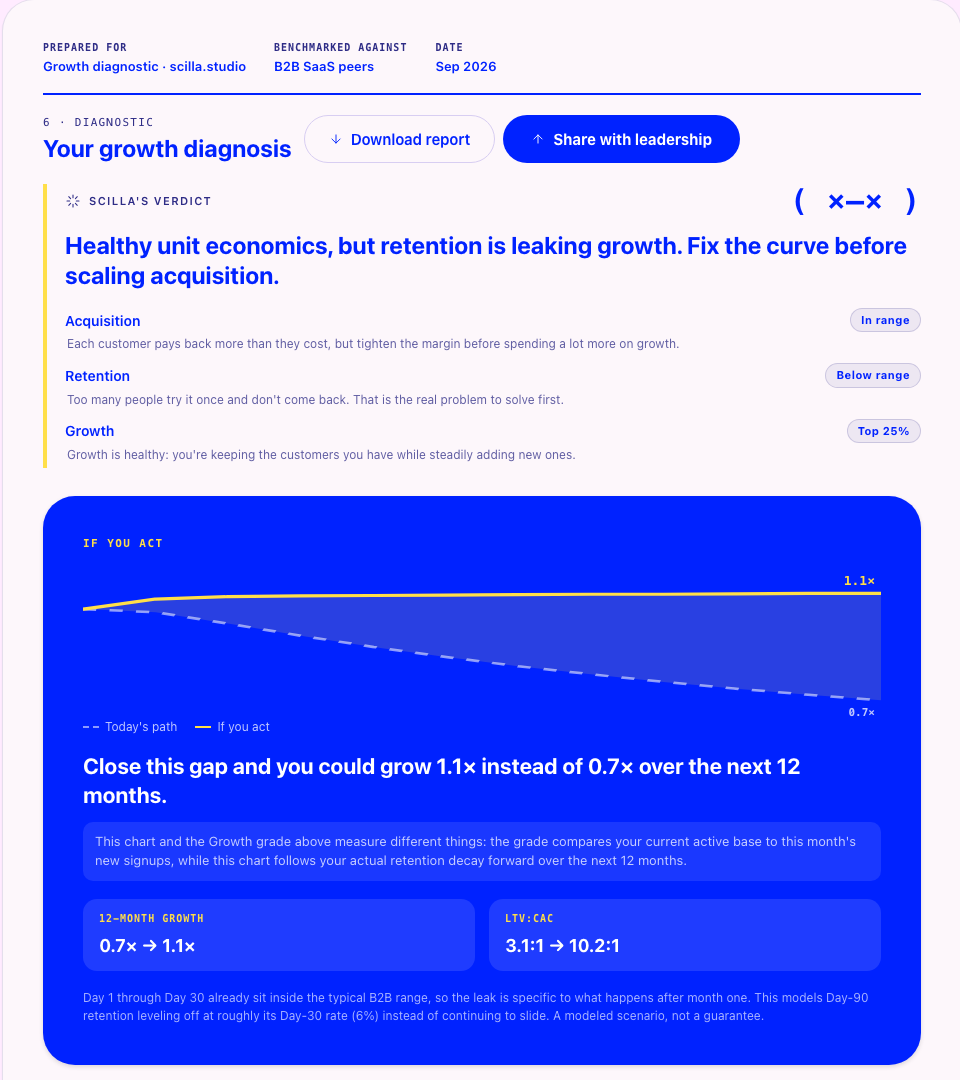 Sample report · B2B SaaS
 What it grades against
Metrics
- LTV:CAC
- CAC payback
- K-factor
- Cohort retention at Day 1, 7, 30 and 90
Sources include
- Bessemer State of the Cloud
- OpenView SaaS Benchmarks
- Amplitude
- Pendo Product Benchmarks
- Reforge
- Andrew Chen
- Adjust Benchmarks
- AppsFlyer Reports
Want to talk the numbers through? Book 15 minutes with Joni →